Home
Font Converter
Marathi/Hindi
Unicode to AMS Font ConverterUnicode to AMS India Hindi Font ConverterUnicode to DG Font ConverterUnicode to Infinity Font ConverterUnicode to Shree Lipi Font ConverterUnicode to Kruti Dev Marathi Hindi Font ConverterUnicode to Shivaji Marathi Hindi Font ConverterUnicode to Chanakya Marathi Font ConverterUnicode to DV Alankar Marathi Font ConverterUnicode to DVB-TT Surekh Marathi Font ConverterUnicode to DVB-TT Yogesh Marathi Font ConverterUnicode to Walkman Chanakya Marathi Font ConverterUnicode Marathi/Hindi to APS-DV-PRAKASH/PRIYANKA Font Converter
Gujarati
Unicode to AMS Gujarati ConverterUnicode to Saumil Guj 2 Gujarati Font Converter
Telugu
Unicode to Anu Telugu Font Converter
Kannada
Unicode to ASCII/Nudi Kannada Font Converter
Sanskrit
Unicode to Sanskrit 99 Sanskrit Font Converter
Tamil
Unicode to Stmzh/RGB (SR-Tamil) Tamil Font Converter
Language Translator
English to Marathi TranslatorEnglish to Hindi TranslatorEnglish to Panjabi TranslatorEnglish to Gujarati TranslatorEnglish to Malayalam TranslatorEnglish to Telugu TranslatorEnglish to Kannada TranslatorEnglish to Tamil TranslatorEnglish to Bengali TranslatorEnglish to Nepali TranslatorEnglish to Oriya TranslatorEnglish to Urdu TranslatorEnglish to Arabic Translator
Unicode Pad
Font Preview
Bulk Calligrapher
Free AI Image Generator
Gradient Generator
Blog
Download App
#1 Indian Language Tool

Effortless Typing & Conversion

The most powerful tool to convert, translate, and design in Marathi, Hindi, and other Indian languages. Joined by 1 Million+ creators.

1M+ Downloads
4.8/5 Rating on Play Store
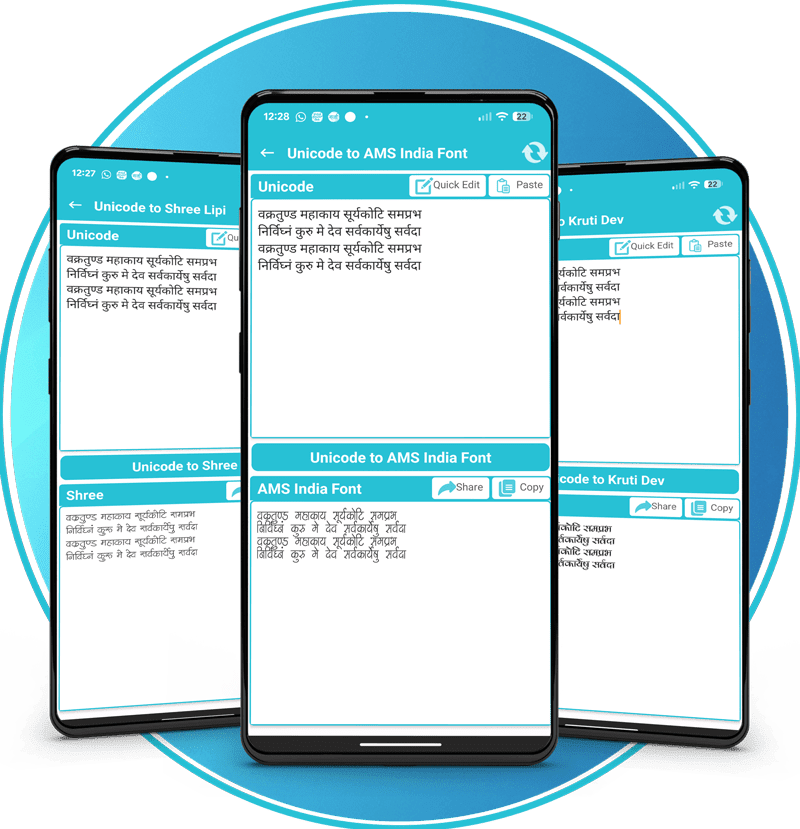
Unicode to Kruti Dev
Instant Conversion
English to Marathi
Smart Translation
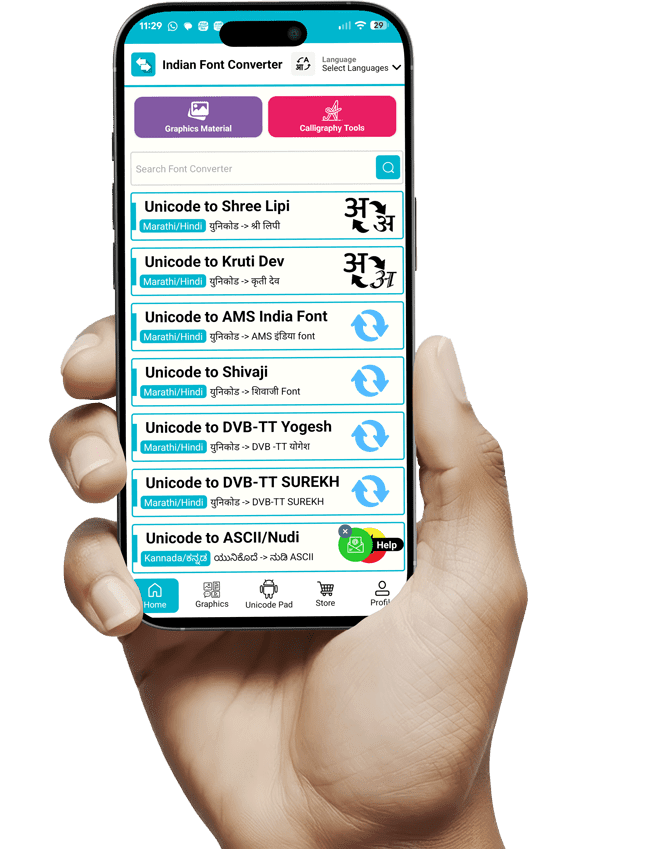
App Dashboard
Our Ecosystem

Trending Tools

Everything you need for regional content creation, from font conversion to calligraphy design.

Unicode to Kruti Dev

The most widely used converter for Hindi & Marathi typing. Converts standard web text to legacy font effortlessly.

Shree Lipi

Essential tool for DTP operators and graphic designers.

Unicode to ASM

Perfect for newspaper and publication houses.

Mobile App

Get all these features offline on your Android device. Includes Calligraphy tools and more.

Logo

Unicode to Shivaji

Convert text for Shivaji font family usage.

Calligraphy Maker

Create stunning name art with gradients.

Features
Why Choose Us

We Simplify Indian
Language Typing

Forget complex keyboard layouts. Just type naturally in English and let our engine handle the rest. We bridge the gap between modern Unicode and legacy publishing fonts.

Phonetic Typing

Type "Bharat" and get "भारत" instantly.

Legacy Support

Seamless conversion for Photoshop, CorelDraw & PageMaker.

Creative Assets

Download 1000+ vectors and calligraphy backgrounds.

Live Translator

All In One Language Text Translator

Indian Font Converter Tool

English to Hindi

Translating...

How to Use

×

Typing Rules

  • Step 1: Select your target language from the top bar.
  • Step 2: Type phonetically in English (e.g., type "Bharat" for "भारत").
  • Step 3: Press Space to convert the word.
  • Step 4: Click on a suggestion chip to correct the last word.

टाइपिंग के नियम

  • चरण 1: ऊपर दी गई सूची से अपनी भाषा चुनें।
  • चरण 2: अंग्रेजी में टाइप करें (जैसे "Namaste" लिखें)।
  • चरण 3: शब्द बदलने के लिए Space दबाएं।
  • चरण 4: सही शब्द चुनने के लिए सुझावों पर क्लिक करें।
Support Center

Frequently Asked Questions

Select Module: Choose the target font format from the home screen (e.g., "Unicode to Shree Lipi" or "Unicode to Kruti Dev"). Input: Type or paste your standard Marathi/Hindi text into the top text box. Convert: Tap the central Convert button. The converted code will appear in the bottom box. Export: Click Copy to save the code to your clipboard or Share to send it to a design app.
Access: Open the Calligraphy Generator tile from the dashboard. Create: Type your text (e.g., a name or greeting) in the input field. Customize: Select a calligraphy style from the bottom list and choose a background or color gradient. Save: Tap the Export/Save button to download the design as a high-quality PNG with a transparent background.
Navigate: Select the Multilingual Text Translator feature. Setup: Choose your input language (English) and target language (Marathi/Hindi). Type: Enter text in English and press the Spacebar; the app automatically transliterates or translates it into the target script. Use: Copy the resulting text to use in the Font Converter or Calligraphy modules.
Browse: Go to the Graphics or Design Hub section to view assets organized by category (e.g., Festivals, Backgrounds, PNGs). Select: Tap on a thumbnail to preview the image or PSD file. Download: Click the Download button to save the asset directly to your device's gallery for use in banner editing.
Initiate: Tap the Crown icon or Remove Ads banner in the app interface. Account: Log in using your Google Account if prompted. Purchase: Select a plan (Weekly, Monthly, or Yearly) and complete the payment via Google Play to remove ads and earn "Post Credits" for premium downloads.

Get in Touch

Have questions or feature requests? Send us a message.